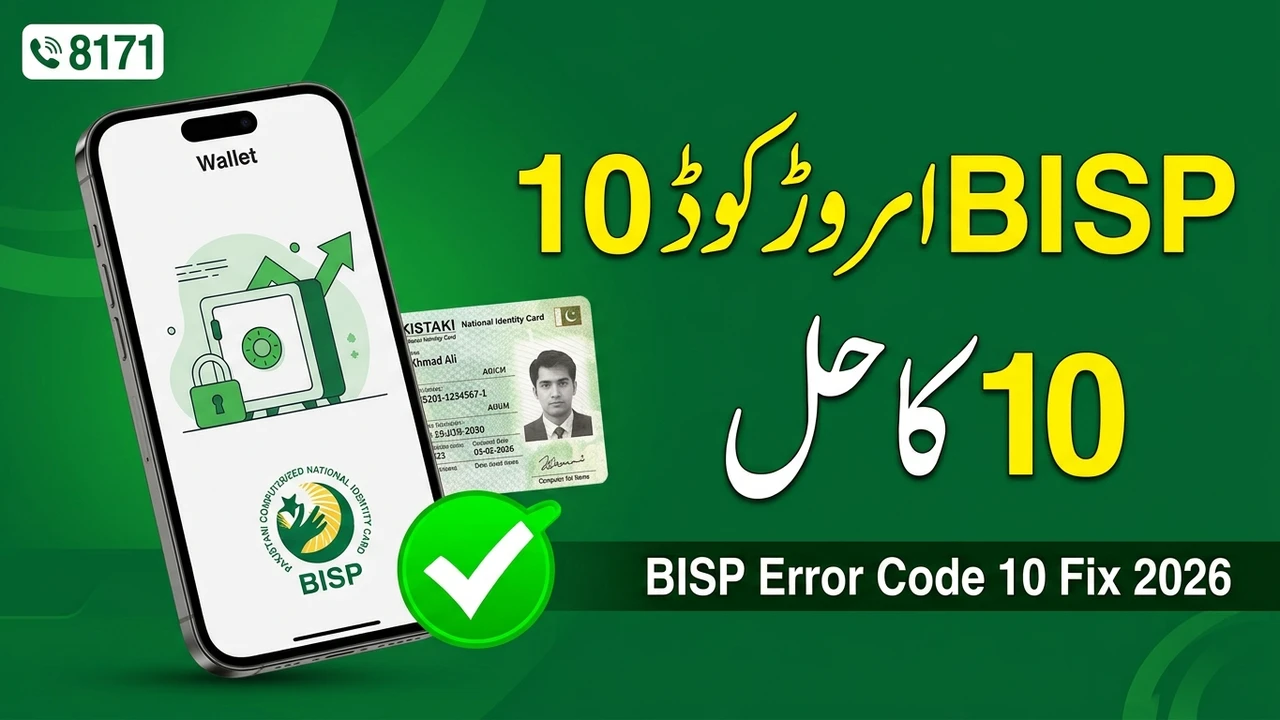
Some BISP beneficiaries report seeing a message that reads “Error Code 10” with the words “SPW Wallet Not Found” when they try to collect their payment. The message means the payment system cannot find a wallet account linked to the beneficiary — so the installment cannot be released. If you are seeing this message, do not panic, and do not pay anyone who promises to fix it for you.
SPW stands for Social Protection Wallet, the digital wallet BISP uses to pay Benazir Kafaalat money. The wallet is linked to a free Benazir SIM issued at a BISP office. If the wallet was never created, never activated, or is not linked to the beneficiary’s record, the payment system reports it as not found. This guide explains what the message means, the most likely reasons behind it, and the official steps that fix wallet problems — based on BISP’s own announcements and guidance.
One honest note first: BISP has not published an official public list of numbered error codes, and the fix steps below are the official wallet procedures BISP itself prescribes — checking status on 8171, biometric verification at a partner bank, and help from the BISP helpline or tehsil office. No private helpline number or paid fix is involved in any of them.
Key Details
| Detail | Information |
|---|---|
| Error message | Error Code 10 — SPW Wallet Not Found |
| SPW | Social Protection Wallet (BISP digital wallet) |
| What it means | Payment system cannot find a wallet account for the beneficiary |
| Current installment | Rs 14,500 per quarter (October–December 2026) |
| Wallet linked to | Free Benazir SIM, issued only at BISP offices |
| Wallet activation | Carried out by BISP staff / mobile operator representative |
| Status check | SMS CNIC to 8171 or 8171.bisp.gov.pk |
| Helpline | 0800-26477 (toll free) |
| Partner banks | HBL, Habib Microfinance, Bank Alfalah, Telenor Microfinance Bank, Bank of Punjab, Mobilink/Jazz Bank |
| Cash withdrawal charge | Rs 280 (fixed) |
| SIM collection fee | None — free |
| Wallet activation fee | None — free |
| Official website | bisp.gov.pk |
Read Also: BISP Wallet: Withdraw Your Rs 14,500 Payment From Any Bank in November 2026
What Does SPW Wallet Not Found Mean?
SPW is short for Social Protection Wallet. It is the digital wallet account BISP opens for each eligible woman beneficiary, linked to her CNIC and her free Benazir SIM. When a quarterly installment is released, the money goes into this wallet first, and the woman then withdraws it from an authorised retailer of a partner bank after biometric verification.
“Wallet Not Found” means that when the payment system looked for that wallet account, it did not find one attached to the beneficiary’s record. The money has nowhere to go, so the payment stops at that step. The message does not mean the woman has been removed from BISP, and it does not by itself mean she is ineligible. It means the wallet side of her record is missing or incomplete.
This is different from a payment that is approved but delayed, and different from an “ineligible” result on the 8171 portal. An ineligible result is about the household’s survey and PMT score. A wallet-not-found message is about the payment account itself — and the fix is different: this is not a survey problem, it is a wallet enrollment and activation problem.
Read Also: 8171 PMT Score Check 2026 by CNIC Check Your BISP Eligibility Status
Why Does the SPW Wallet Not Found Error Appear?
BISP has not published a list of causes for this specific message, so the reasons below follow from how the wallet system works — as described in BISP’s own press releases and the Chairperson’s public statements.
The wallet was never created. A wallet is created when the beneficiary collects her free Benazir SIM from a BISP office and BISP staff activate it. If she never collected the SIM, or the SIM was collected but activation was not completed, there may be no wallet in the system at all.
The SIM was taken from the wrong place. BISP has said clearly that the free Benazir SIM must be collected from a BISP office. A SIM bought from a shop or delivered at home will not work for payments, because the wallet is activated only through the official channel at the BISP office.
The registration is incomplete. The wallet depends on the beneficiary’s registration record — the Dynamic Survey, the NSER record, and the CNIC details. If the survey is incomplete, the CNIC has expired, or the record has an error, the wallet may not have been created even though the household appears eligible.
Biometric verification is pending. Cash withdrawal from the wallet requires biometric verification with the original CNIC. If the beneficiary’s fingerprints were never recorded properly, or do not match NADRA’s record, the wallet process can stall at the payment step.
The payment batch has not reached the wallet yet. BISP payments for the October to December 2026 quarter are released district by district, in phases. A wallet may show as not found before the district’s payment release simply because the installment has not arrived yet. This is why the first step is always to check the real status on 8171 before travelling anywhere.
How to Fix BISP Error Code 10: 4 Steps
Follow these steps in order. Each one is an official channel — the 8171 service, a partner bank, the BISP helpline, or a BISP tehsil office. None of them costs money, and none of them needs an agent.
Step 1: Check your status on 8171
The first step is to find out what the system actually says about the beneficiary. Send the 13-digit CNIC number, without dashes, by SMS to 8171. Or check on the official portal at 8171.bisp.gov.pk, entering the CNIC and the image verification code shown on screen.
Read the result carefully. It will tell you whether the household is eligible, whether a survey is needed, or whether the record has a problem. Keep the exact wording of the message — if you later visit a BISP office, the staff will ask what the portal or SMS showed. Do not rely on a screenshot forwarded by someone else; check the beneficiary’s own CNIC yourself.
If the portal shows the wallet status, note whether it says the wallet is active or inactive. An inactive wallet points to the SIM and activation step. A missing record points to the survey and registration step.
Step 2: Confirm the SIM and wallet activation
The wallet is linked to the free Benazir SIM, and BISP staff activate the wallet when the SIM is issued. If the beneficiary never collected the SIM from a BISP office, that is the most likely cause of the error.
Visit the nearest BISP tehsil office with the original CNIC and ask whether the SIM has been issued and whether the wallet is active. BISP has said SIMs are issued exclusively at BISP offices, and activation is carried out by a representative of the relevant mobile network operator at the BISP office or designated site. The SIM and the activation are both free — never pay anyone for them.
If the SIM was collected but the wallet still shows as not found, ask the tehsil office to check the activation status. Activation problems are fixed from BISP’s side, not by an agent or a shop.
Step 3: Complete biometric verification at the partner bank
If the status check shows the beneficiary is registered and the wallet exists, the next step is biometric verification at an authorised retailer of a partner bank. Take the original CNIC and your own phone.
BISP requires the original CNIC, not a photocopy, and biometric verification is mandatory for cash withdrawals. If the fingerprint does not match, clean and dry your hands and try another finger. If it still fails, the fingerprints may need updating at NADRA — visit a NADRA office to re-record them, allow a few days for the record to update, and then try again. Do not pay anyone to fix a fingerprint problem.
Under the new interoperability system, you can use an authorised retailer of any of the six partner banks — HBL, Habib Microfinance, Bank Alfalah, Telenor Microfinance Bank, Bank of Punjab, or Mobilink/Jazz Bank — in any city. If one bank’s retailer cannot process the payment, try an authorised retailer of another partner bank.
Step 4: Call the BISP helpline or visit the tehsil office
If the error is still there after the steps above, call the BISP helpline on 0800-26477. It is toll free. Explain that you are seeing Error Code 10, SPW Wallet Not Found, and describe exactly what the 8171 check showed and what happened at the bank. Keep your CNIC number ready, and note any reference number they give.
If the helpline cannot resolve it, visit the nearest BISP tehsil office in person with the original CNIC. Office staff can check the wallet record directly and tell you whether the problem is the SIM, the activation, the survey record, or the payment batch for your district. Take any payment SMS messages with you — they help staff trace the record.
Read Also: BISP 8171 Qist October December 2026 Payment Check
Quick Fix Table
| Problem or situation | What to do |
|---|---|
| SPW Wallet Not Found message appears | Check status on 8171 (SMS or portal) first |
| Wallet shows inactive | Visit BISP tehsil office to confirm SIM and activation |
| SIM never collected | Collect the free SIM from a BISP office with original CNIC |
| Registered, wallet exists, payment stuck | Complete biometric verification at a partner bank |
| Fingerprint does not match | Clean hands, try another finger; update fingerprints at NADRA if needed |
| Error continues after bank visit | Call helpline 0800-26477 or visit tehsil office with CNIC |
| Someone asks for money to fix it | Refuse and report on 0800-26477 — wallet fixes are free |
BISP Error Code 10 Ki Asal Wajah Kya Hai?
Aksar khawateen yeh samajhti hain ke Error Code 10 ka matlab hai ke un ka naam BISP se nikaal diya gaya hai. Aisa nahi hai. Is ka matlab sirf yeh hai ke payment system ko aap ka Social Protection Wallet nahi mil raha. Wallet Benazir SIM se jurra hota hai, aur SIM sirf BISP office se muft milti hai. Agar SIM nahi li, ya wallet activate nahi hua, to payment ruk jati hai.
Is liye pehle 8171 par apna status check karein, phir tehsil office se SIM aur wallet ki tasdeeq karwayein, aur aakhir mein bank par biometric verification mukammal karein. Kisi agent ko paise na dein — BISP ki tamam khidmaat muft hain.
What Documents Should You Take?
Before visiting the bank or the BISP tehsil office, keep these ready:
- Original CNIC of the beneficiary woman. A photocopy is not accepted for biometric verification or SIM collection.
- Your own mobile phone, with the registered number linked to the wallet. Never hand your phone to a retailer or agent.
- The exact error message as it appeared, and the result of your 8171 status check.
- Any payment SMS messages you have received, as proof of what was paid and when.
Taking these details with you helps bank staff and BISP officers understand the problem quickly, instead of sending you back for a missing document.
Read Also: BISP 8171 New Registration 2026 Complete Guide to Eligibility CNIC Check and New Registration
Safety and Fraud Protection
Wallet errors are exactly the situations fraudsters exploit. A woman worried about her payment is more likely to trust someone who promises a quick fix. BISP’s rules protect you:
- 8171 is the only official BISP number. A call or message from any other number that asks for a fee, a code, your CNIC photo or your SIM is fraud. The one real exception is the payment SMS from your partner bank.
- Never share your OTP or PIN. No BISP officer, bank representative, or agent will ever ask for your OTP or PIN. Anyone who asks is trying to steal your payment.
- Never pay to fix a wallet error. Registration, surveys, SIM collection, wallet activation and error correction are all free. The only fixed charge in the wallet system is the Rs 280 cash withdrawal charge, and only at the time of withdrawal.
- Never hand over your phone. The BISP Chairperson has said this directly: beneficiaries must not hand over their mobile phones to any retailer or agent while withdrawing funds.
- Do not trust private helpline numbers. Some websites and videos quote other phone numbers for wallet problems. Only 0800-26477 is BISP’s toll-free helpline.
- Report fraud on 0800-26477. If someone demands money, asks for your code, or offers to fix the error for a fee, call the helpline or visit your nearest BISP tehsil office.
Read Also: BISP 8171 October Payment 62 Districts 2026
Frequently Asked Questions
1. What does SPW Wallet Not Found mean in BISP?
SPW stands for Social Protection Wallet, BISP’s digital wallet for Kafaalat payments. “Wallet Not Found” means the payment system cannot find a wallet account linked to the beneficiary, so the installment cannot be released. It is a wallet problem, not proof of removal from BISP.
2. How can I check my status for BISP Error Code 10?
Send your 13-digit CNIC by SMS to 8171, or check on the official portal 8171.bisp.gov.pk. Read the result carefully and keep its exact wording for your visit to the bank or BISP office.
3. Do I need to visit the bank to fix it?
If your status check shows you are registered and the wallet exists, yes — visit an authorised retailer of a partner bank with your original CNIC and complete biometric verification. If the wallet was never created, visit a BISP tehsil office first to sort out the SIM and activation.
4. What is the BISP helpline number for wallet problems?
The toll-free BISP helpline is 0800-26477. Call it yourself. Nobody from BISP will call you from this number asking for money or a code.
5. Can I fix the wallet error without visiting the bank?
It depends on the cause. If the problem is a missing SIM or an unactivated wallet, only the BISP tehsil office can fix it. If the problem is biometric verification, you need to visit the bank. The 8171 check will tell you which step applies to you.
6. Will I lose my Rs 14,500 payment because of this error?
The error stops the payment from being released, but it does not cancel your eligibility. Once the wallet is created or activated and verification is complete, the payment can be processed. Do not pay anyone who claims your payment will expire unless you pay a fee.
7. Is there any fee to fix Error Code 10?
No. SIM collection, wallet activation and error correction are free. The only fixed charge in the wallet system is the Rs 280 cash withdrawal charge at the time of withdrawal.
8. My fingerprint does not match at the bank. What should I do?
Clean and dry your hands and try another finger. If it still fails, visit NADRA to update your fingerprints, wait a few days for the record to update, and try again. Never pay an agent to fix a fingerprint problem.
Final Words
Error Code 10, SPW Wallet Not Found, is a wallet problem with a wallet solution. Check your status on 8171, confirm your free Benazir SIM and wallet activation at the BISP tehsil office, complete your biometric verification at a partner bank, and call 0800-26477 if the error is still there. Each of these steps is official, and each of them is free.
Do not let worry push you towards an agent. No one outside BISP can create or activate your wallet, no one can fix the error for a fee, and no one should ever hold your phone or hear your OTP.
Read Also: BISP Now Reaches Over 60 Million People: Skills Training and Easier Digital Payments Announced
Disclaimer: amuoba.pk is not an official website of the Benazir Income Support Programme or the Government of Pakistan. This article is an independent information guide based on BISP’s public announcements and reputable reporting. BISP has not published an official public list of numbered error codes; the steps here are BISP’s official wallet procedures. Always confirm your payment status through the official 8171 SMS service, the official portal 8171.bisp.gov.pk, or the BISP helpline 0800-26477.